To connect SES.HOSPEDAJES to Holidu, you first register your property on the Spanish Ministry of the Interior platform and generate web service credentials. Then you enter those credentials in the Holidu app under Online check-in. Once connected, Holidu sends guest data to the authorities automatically after each guest completes the online check-in form.
What Is SES.HOSPEDAJES?
SES.HOSPEDAJES is the official platform from the Spanish Ministry of the Interior. It is used to report guest information as required by Royal Decree 933/2021. This guide explains how to register your property and link it to your Holidu account.
Important: Imported bookings (those not created directly through Holidu) are not linked to SES.HOSPEDAJES. For these bookings, you must collect the guest data and submit it manually through your SES.HOSPEDAJES account.
How Do I Get My SES.HOSPEDAJES Credentials?
Follow these steps to register your property and receive your web service credentials.
Step 1: Create an Account
Go to the Ministerio del Interior website and click Hospedajes y alquiler de vehículos.
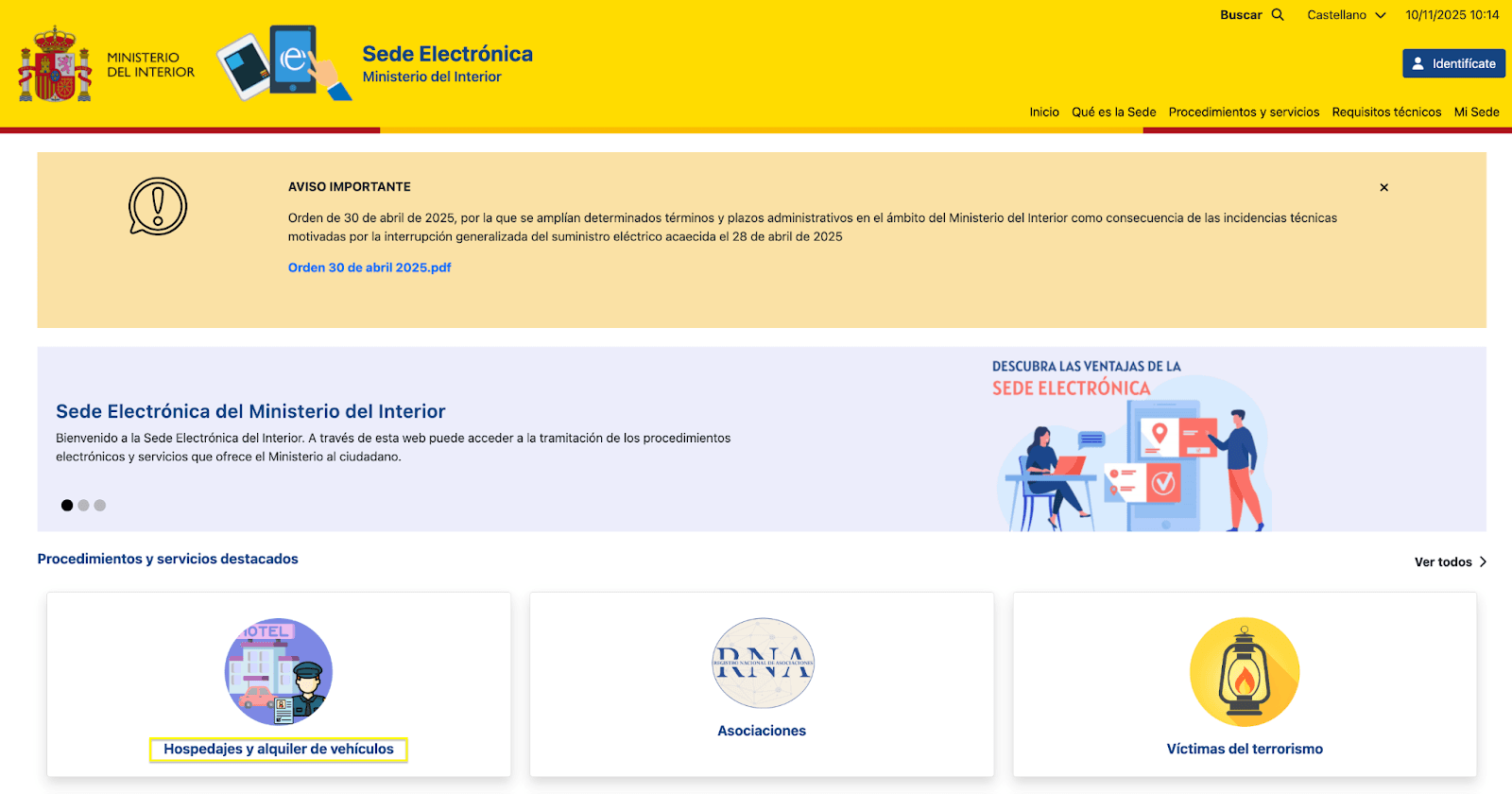
You will see three access options:
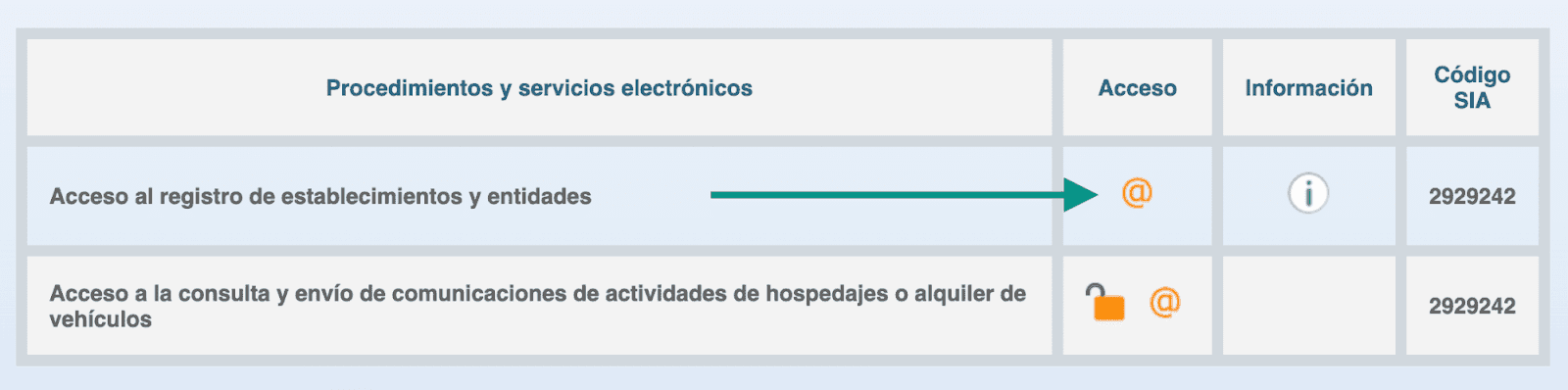
- Acceso al registro de establecimientos y entidades: Choose this if you have no account and no Cl@ve registration.
- Acceso a la consulta y envío de comunicaciones de actividades de hospedajes o alquiler de vehículos: Choose this if you already have a Cl@ve registration.
- Acceso a la consulta y envío de comunicaciones de actividades de hospedajes o alquiler de vehículos: Choose this if you already have a login.
Step 2: Choose Your Verification Method
Get a digital certificate or use Cl@ve PIN or DNIe. If you need a digital certificate, request one from FNMT. If you need Cl@ve, register for it first. Then click the “@” icon on the SES.HOSPEDAJES portal to begin.
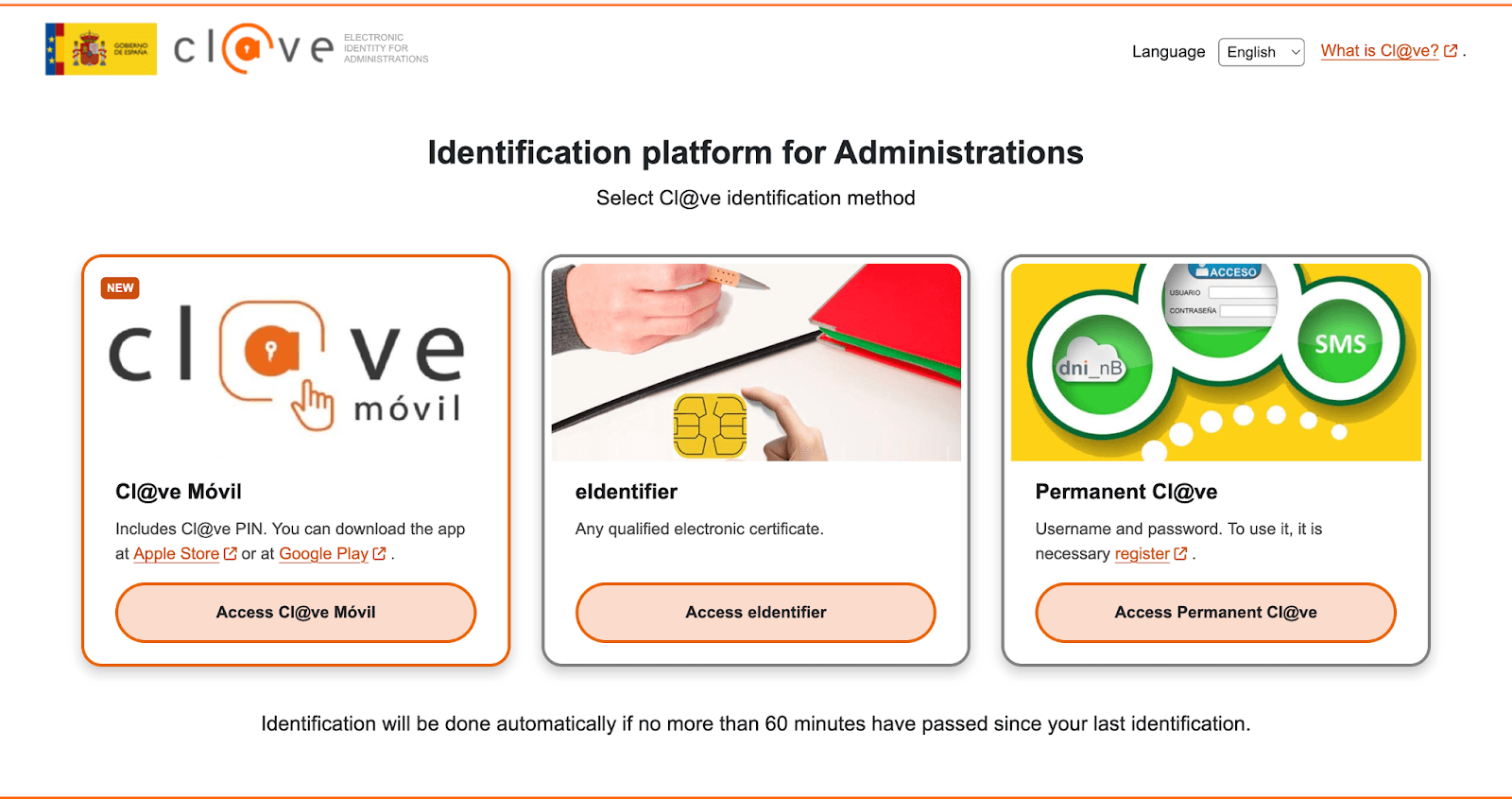
Step 3: Select the Registration Type
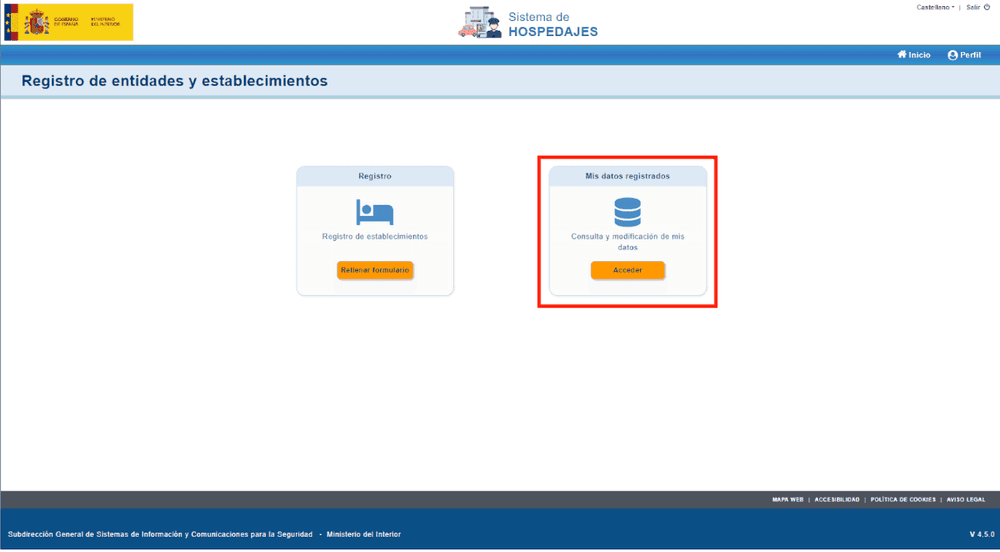
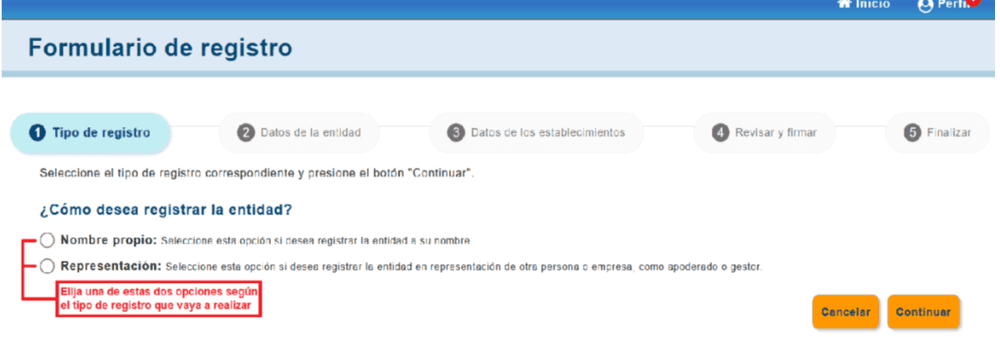
After logging in, go to “Registro de entidades y establecimientos.” Then select the registration type, such as “Hospedaje turístico.”
Step 4: Complete Your Registered Data
Open “Mis datos registrados.” Fill in all required fields and tick “Envío de comunicaciones por servicio web.”
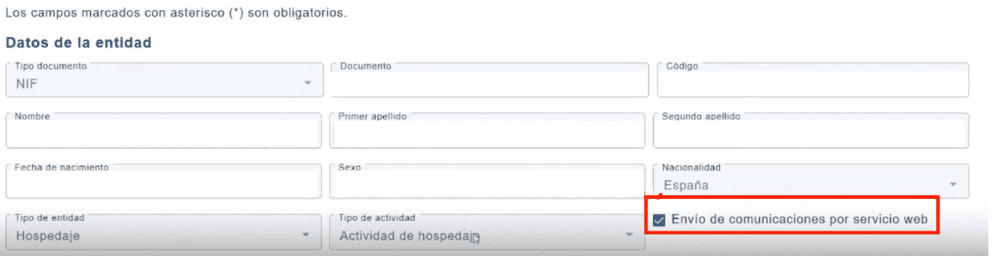
Important: You must tick this box before signing. Otherwise, your web service credentials will not be generated correctly.
Step 5: Register Your Properties
Once your personal data is complete, register each property. You will need its name, address, and license number.
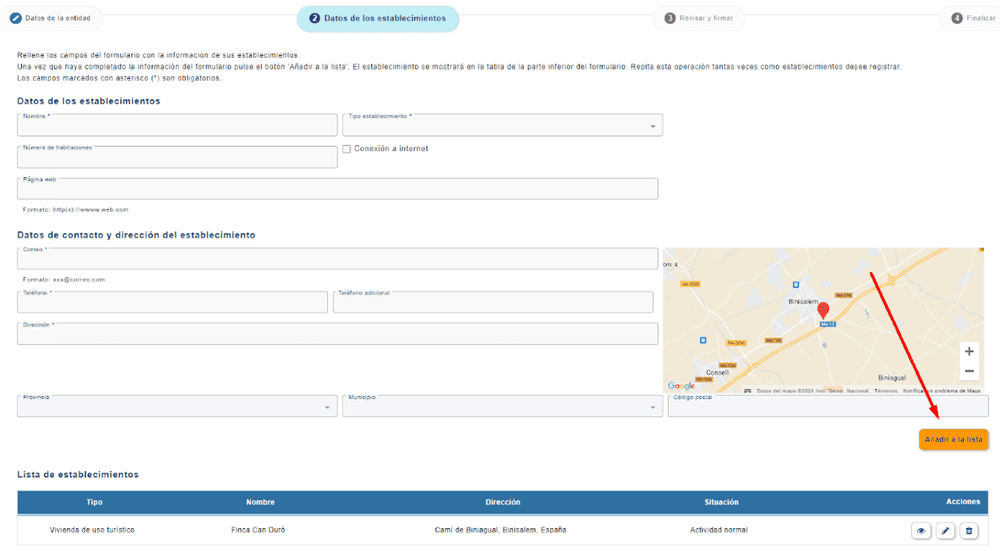
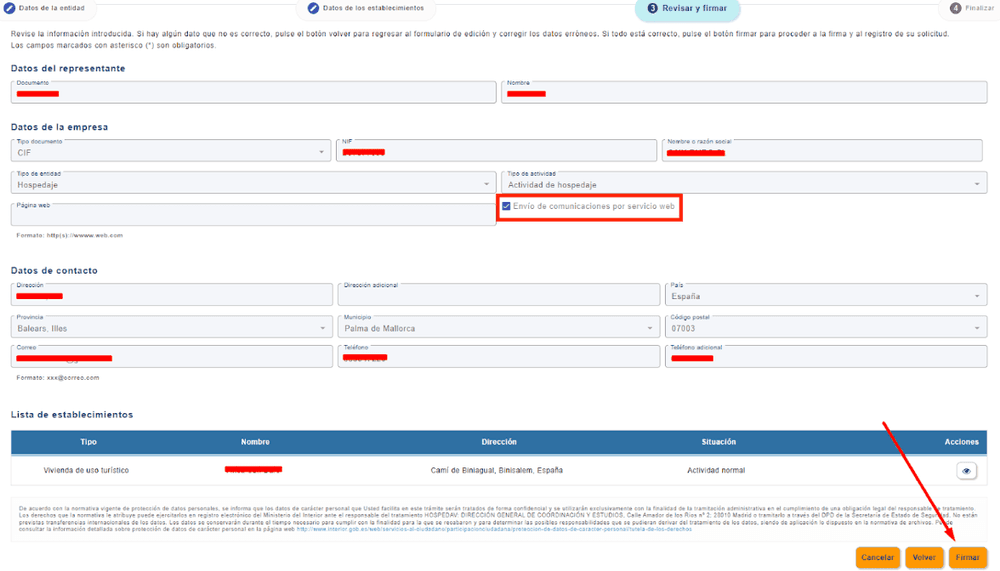
Step 6: Review and Sign
Check your information and sign with Autofirm@ or Cl@ve Firma. Make sure the web service option is active before you sign.
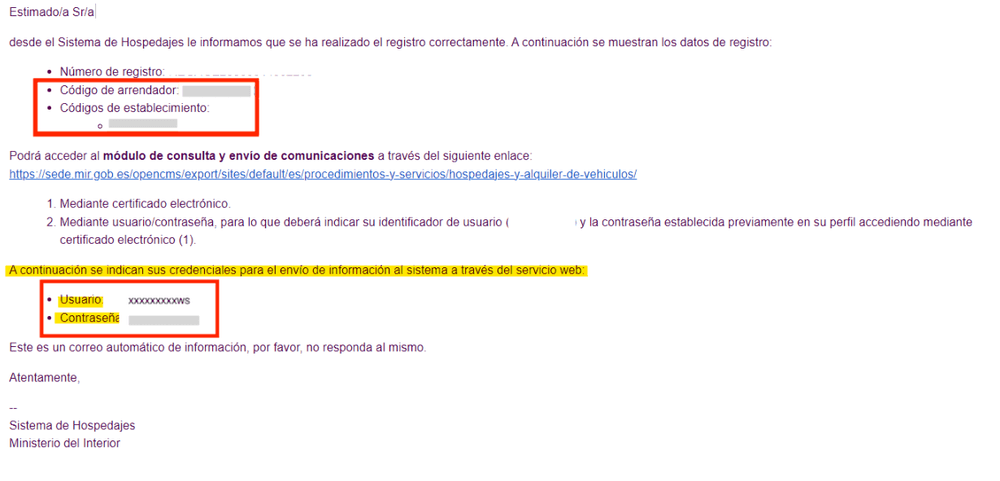
Step 7: Receive Your Credentials
After signing, you will receive an email from no-reply@hospedajes.mir.es. It contains your owner code, property code, and web service credentials. The web service username ends in “WS.” You need these details to connect Holidu.
How Do I Connect SES.HOSPEDAJES to Holidu?
Once you have your credentials, follow these steps. Make sure you are using the latest version of the Holidu app.
- Open the Holidu app.
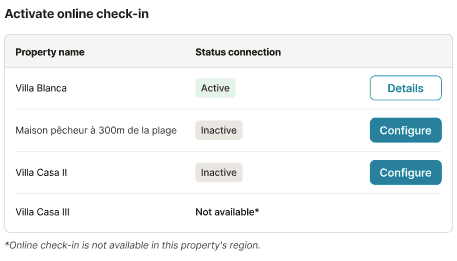
- In the left menu, go to Tools → Online check-in.
- Click Configure next to the property you want to connect.
- Fill in the form:
- Click Statistics connection.
- Select SES.HOSPEDAJES.
- Enter your Username, Password, Accommodation code, and Landlord code.
- Click Validate.
- Click Save changes.
- If no error appears, your connection is active.

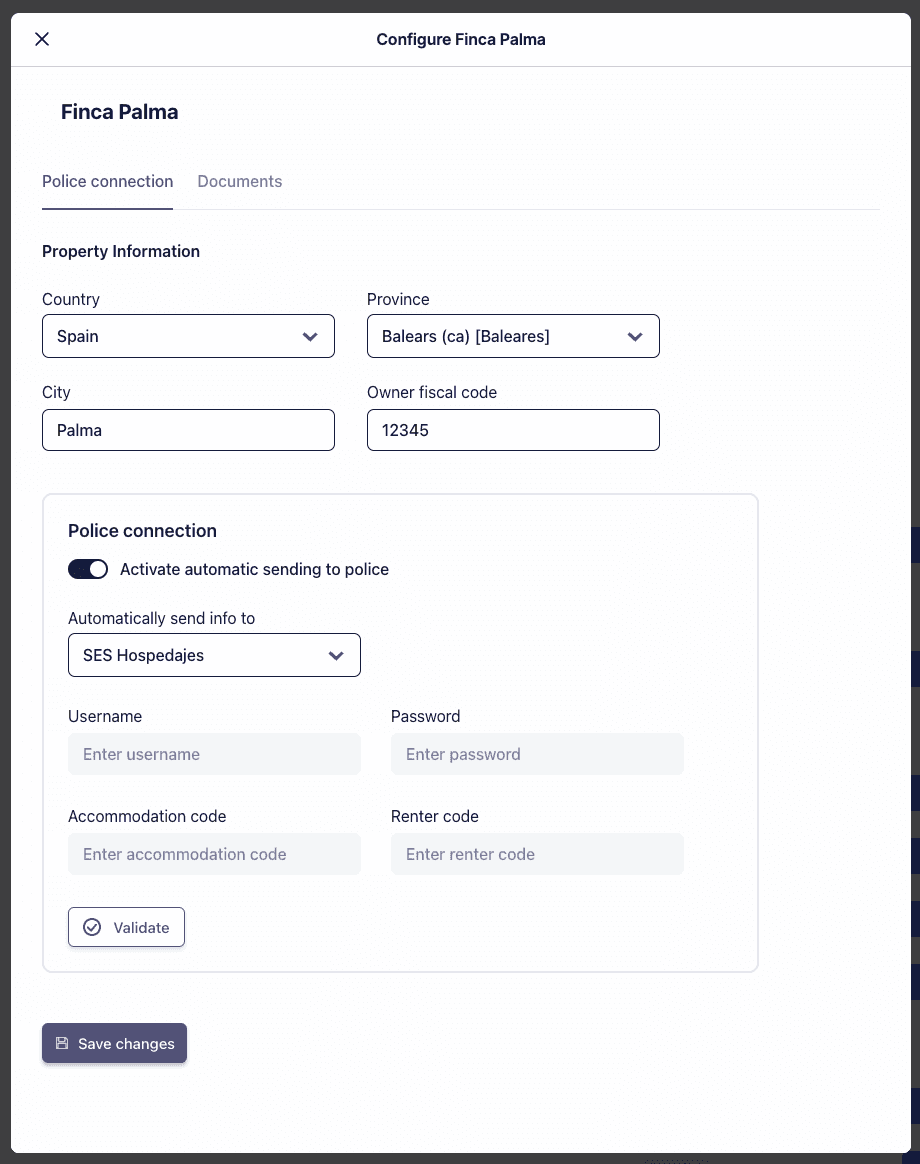
Note: For properties in Catalonia, select Mossos d'Esquadra. For properties in the Basque Country, select Ertzaintza.
What If My Credentials Are Not Working?
If you have trouble with your credentials, you can find or reset them on the SES.HOSPEDAJES platform.
- Go to the SES.HOSPEDAJES access page and select the “@” sign for Access to the Registry of Establishments and Entities.
- Log in with your Digital Certificate or Cl@ve app.
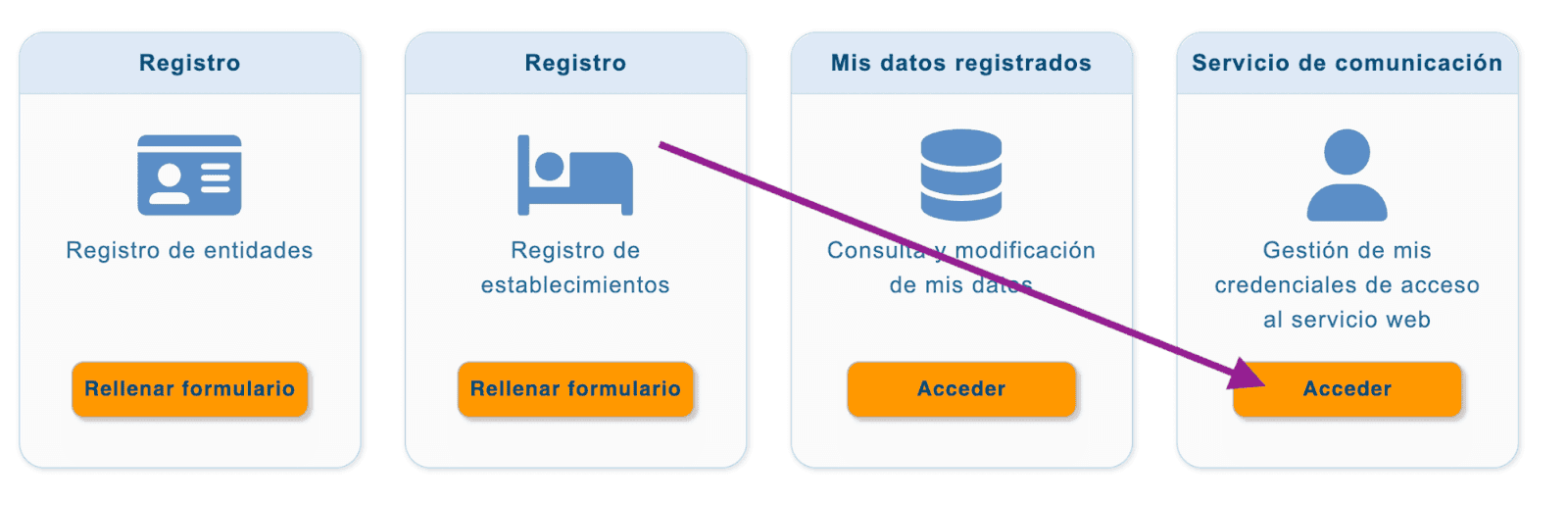
- Click Access under Communication Service.
- Copy the Username from the left column. Then click Change Password to set a new password for sending guest registration forms.
Do you want to contact us?
We’re here to help. You can contact us directly if you need assistance or have questions.
Contact us